
PDF Editor PRO
Edit, reorganize, convert, recognize, and secure PDF documents in a local browser workspace.
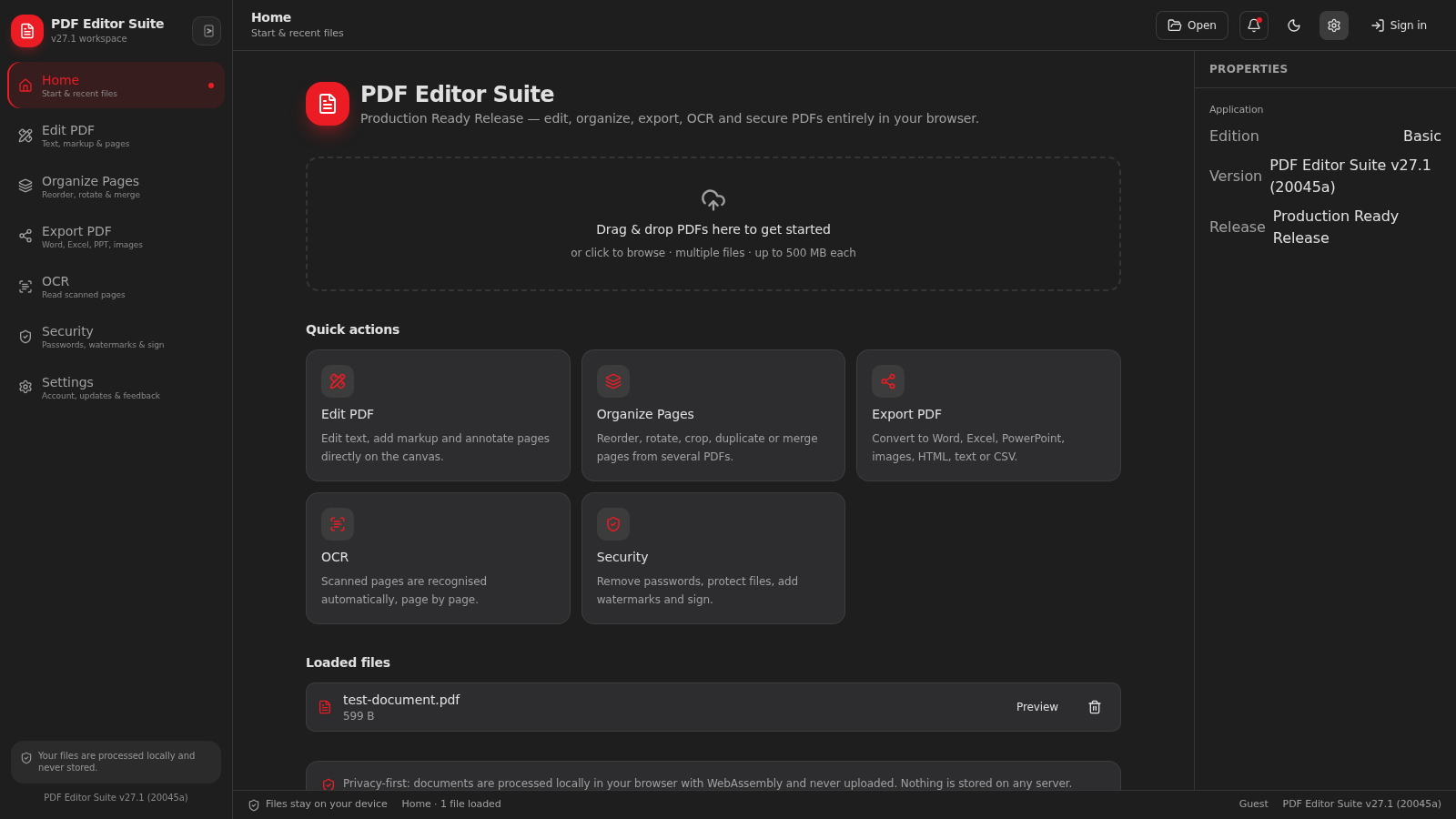
PDF Editor Suite is a desktop-style document workspace that opens PDF files directly in the browser and keeps them on the user device. A loaded document can be viewed on a canvas, marked up with text, drawing, highlights, and notes, reorganized through page-level controls, exported to office, image, web, text, and data formats, processed with OCR, or protected with passwords, watermarks, and electronic signatures. The interface retains the active file while moving between modules and presents document properties and processing results alongside the main workspace.
Highlights
Local Processing
Files stay on device
Editing Canvas
Text and markup tools
Page Organizer
Reorder, merge, crop
Nine Export Types
Office, web, images
OCR Workflow
Reads scanned pages
Document Security
Protect, sign, watermark
How to Use
Open a document
Choose Open or use the home drop zone to select one or more PDF files from the device. The workspace lists each loaded file with its size, while the properties panel reports the active document and page count.
Edit and annotate
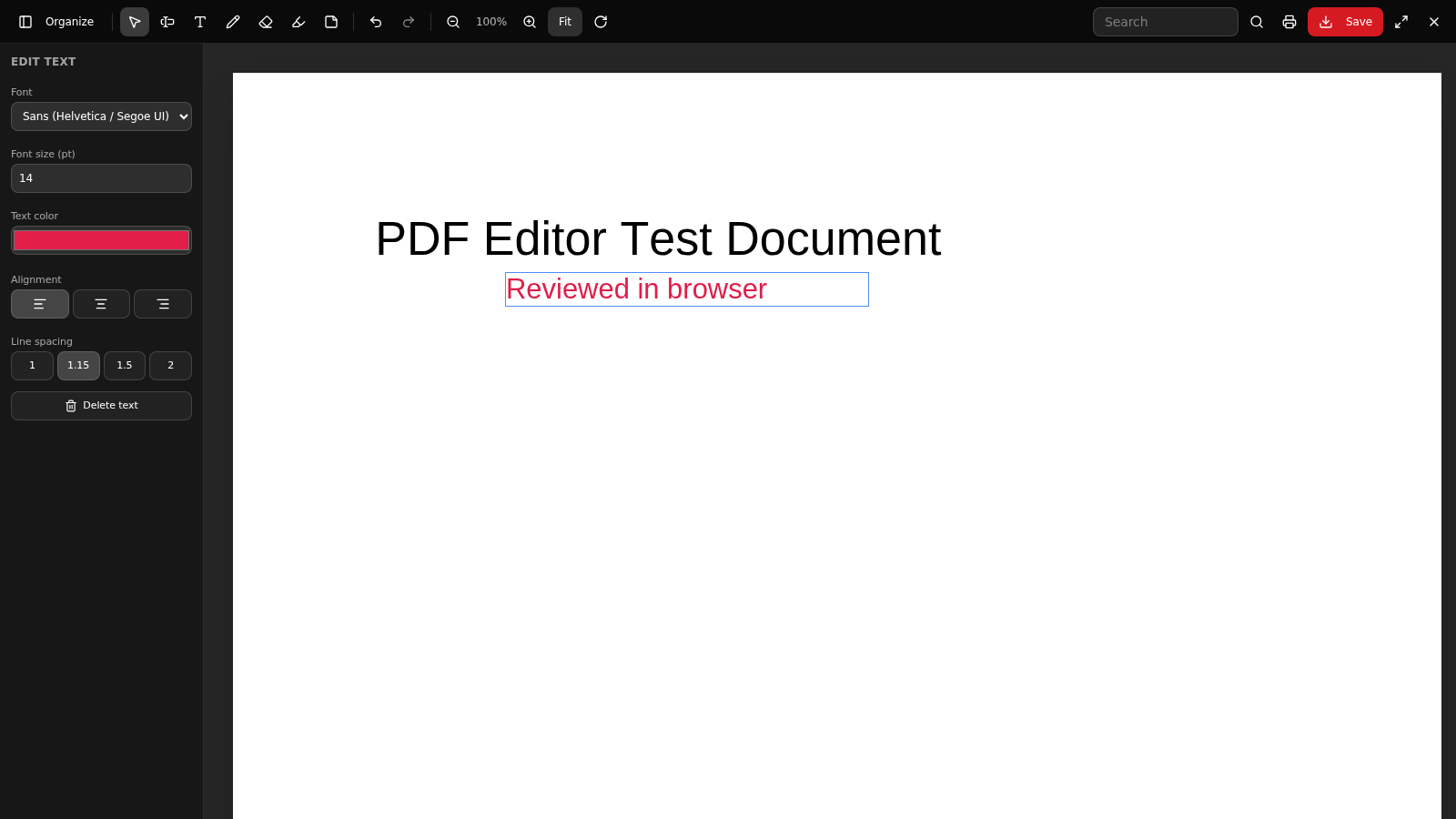
Open Edit PDF, select the document, and use the toolbar for text editing, new text, drawing, erasing, highlighting, notes, search, zoom, rotation, printing, and saving. Selecting an editing tool opens controls for attributes such as font, size, color, alignment, and spacing.
Organize pages
Open Organize Pages and load the PDF into the page workspace. Select page thumbnails to rotate, duplicate, delete, crop, extract, or move them, add more PDF files when needed, then preview or save the resulting document.
Export a format
Open Export PDF, choose the source document and either all pages or a custom range, then select Word, Excel, PowerPoint, RTF, text, HTML, PNG, JPG, or CSV. The page reports the result if the selected conversion has no usable output.
Recognize scanned text
Open OCR, choose the recognition language, and run processing on the active PDF. Digital pages retain their existing text layer, while scanned pages are recognized; the result lists processed pages and enables saving recognized text when output is available.
Secure the document
Open Security and choose Protect, Remove password, Batch unlock, Watermark, or E-Sign. Enter the requested password, permission, watermark, or signature settings, review the security report, and download the processed copy.
Similar Sites
 1
1Cifras IA — Chord Editor
Editor de cifras com IA: processe PDFs, transpose e re-harmonize
 81
81PDF Master AI
Private in-browser PDF toolkit to convert, merge, compress, edit, and protect files.
 8
8PDFPulse
Merge, split, sign, and convert PDFs entirely in your browser.
 7
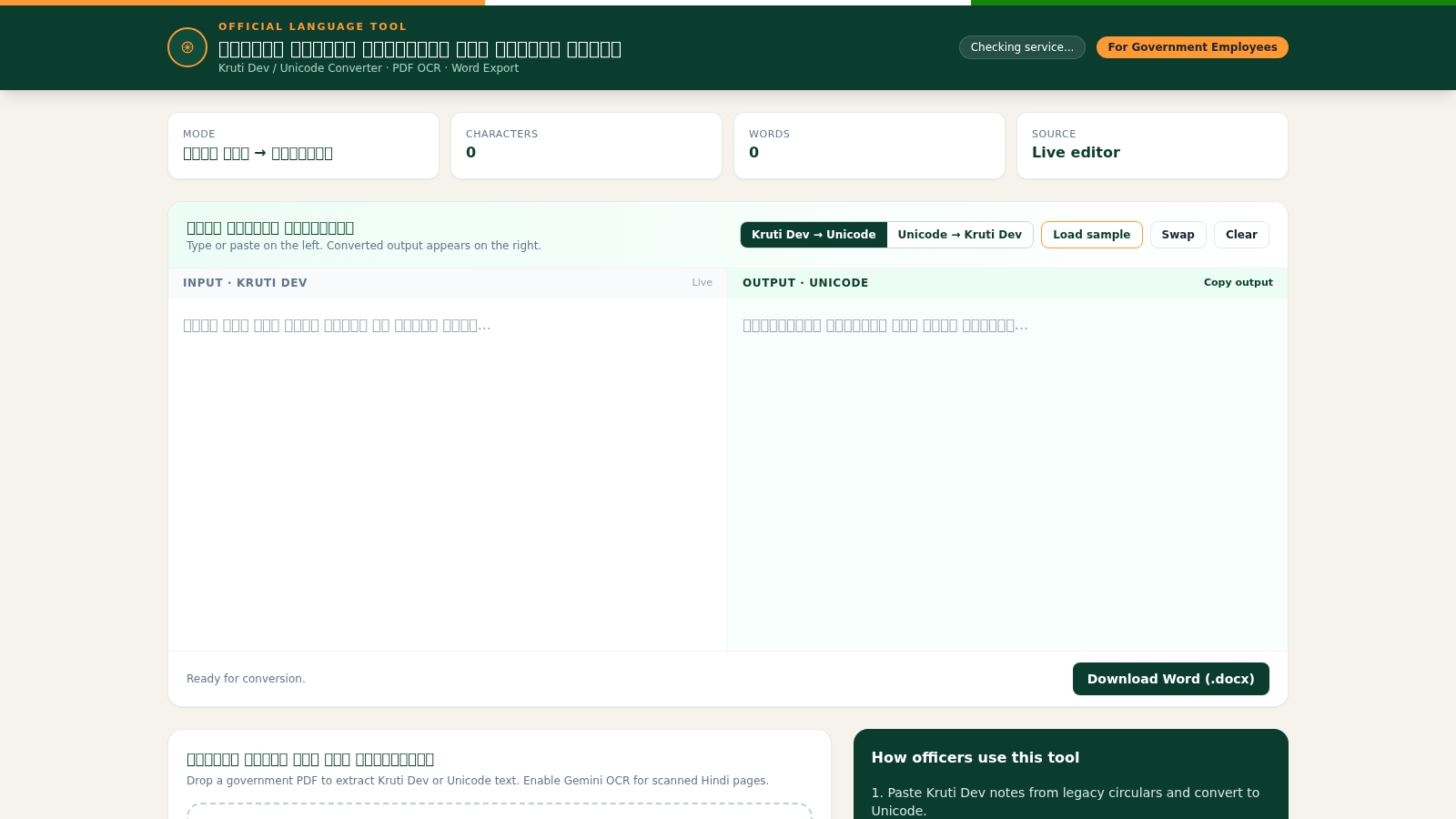
7Hindi Font Converter
Convert Kruti Dev and Unicode Hindi, extract PDF text, and export Word files.
 94
94OhMyPS - AI Image Editor
Brush, describe, and quickly edit part of an image with AI.
 59
59ToolCraft - Free Online Tools
Free, fast, privacy-friendly online tools & expert guides - all in your browser.