
HOOK12 Agnes 创作台
Seven AI tools for vertical comedy, anime, video, text and images in one browser workbench
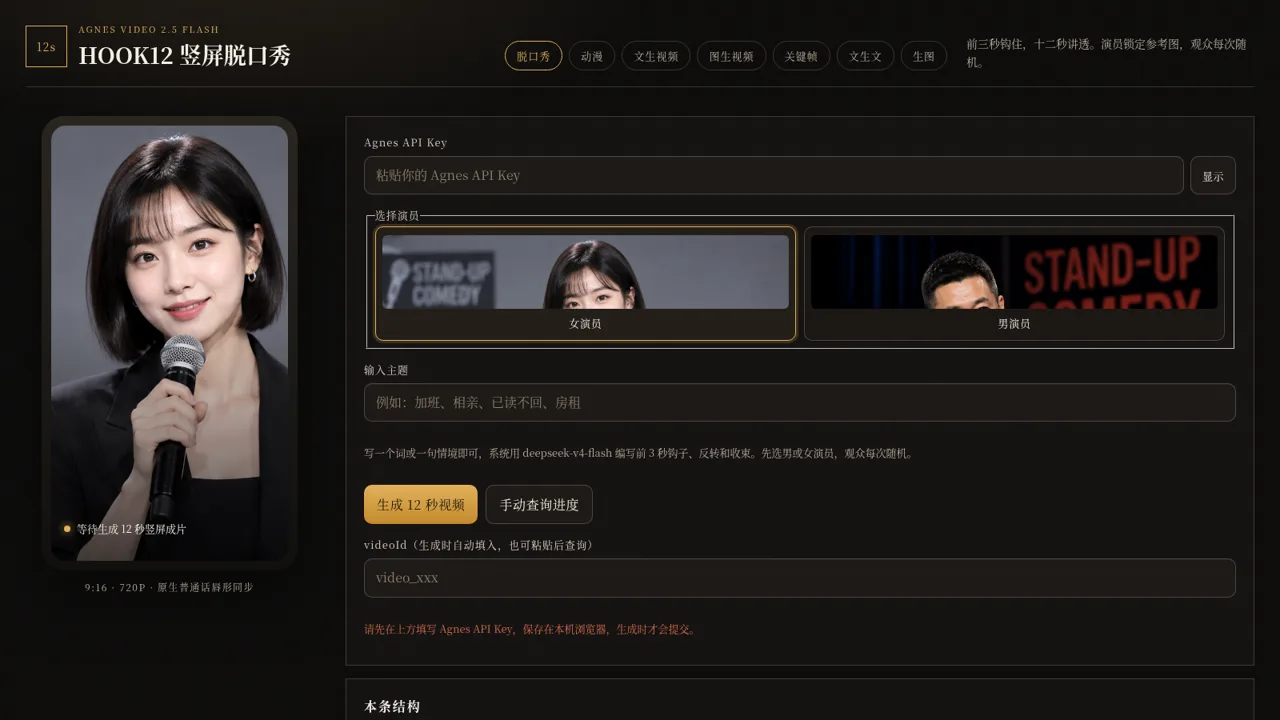
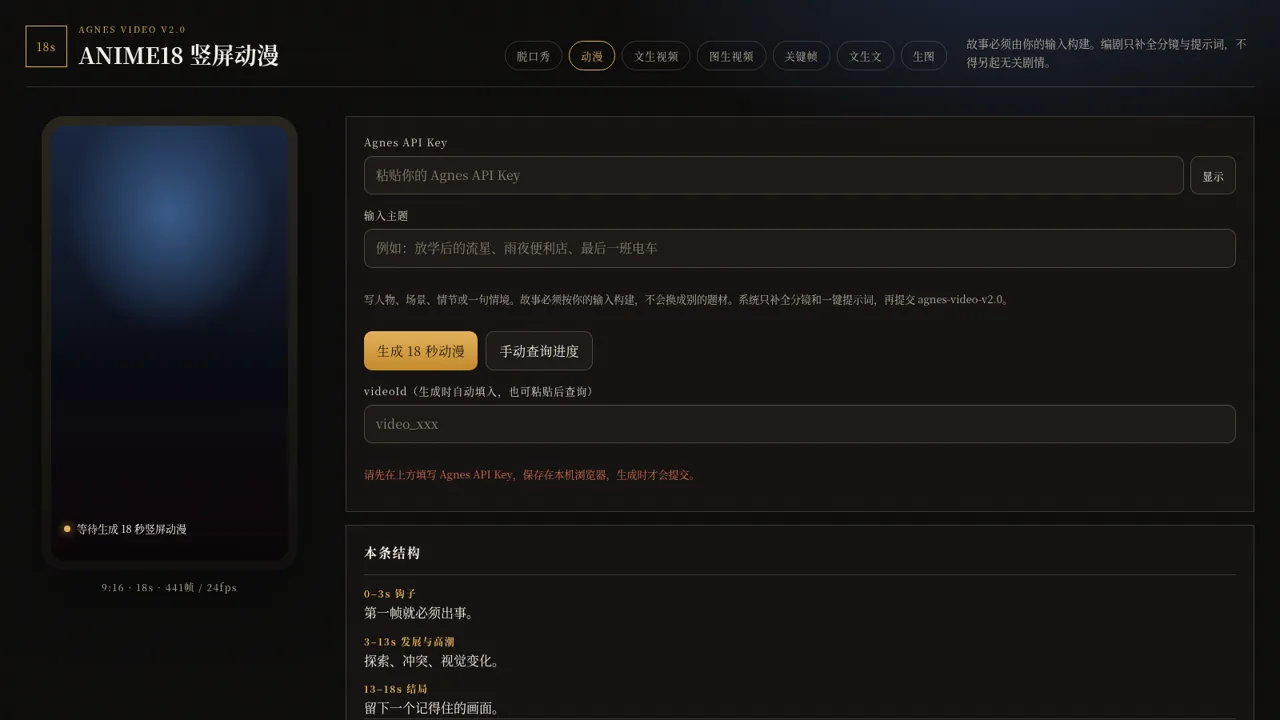
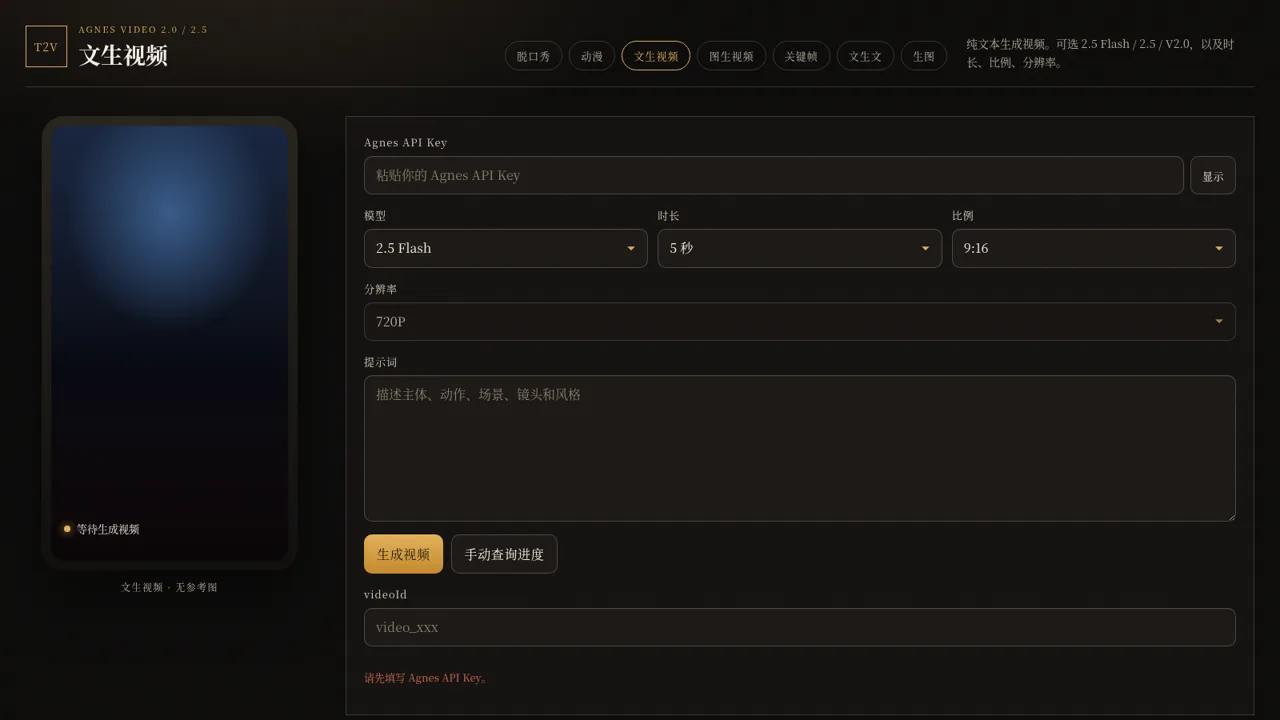
HOOK12 is a Chinese-language web workbench that gathers several AI generation utilities behind one dark-themed interface. The top navigation switches between seven pages. The 脱口秀 page builds a 12-second vertical stand-up clip from a single topic, with a selectable male or female performer shown as a photo card, a fixed 9:16 720P Mandarin lip-sync target, and a three-beat script structure. The 动漫 page produces an 18-second anime piece at 441 frames and 24fps from a premise, split into hook, development and ending. Three more pages cover general video: text-to-video with model, duration, aspect and resolution pickers; image-to-video with a list of reference image URLs; and a keyframe tool that takes first-frame and last-frame URLs plus a transition prompt. The final two pages do not need the video key: a text generator with an editable model field and optional system prompt, and an image generator with a model dropdown that pulls available models from the backend. Video pages ask for an Agnes API key stored in the local browser; text and image pages rely on a rotating server-side key.
Highlights
Seven AI tools
Video, text, image, anime
For vertical screens
Defaults to 9:16 clips
Explains the prompt
Shows each script plan
Kept in your browser
Own Agnes API key
Duration and ratio
Model and size selectors
Check by video id
Manual progress query
Chinese labels
Interface copy in Chinese
How to Use
Choose a tool tab
Open the site and use the seven links in the top bar to pick what you want to make: comedy, anime, text-to-video, image-to-video, keyframe video, text generation or image generation. Every page keeps the same header and swaps only the form below it.
Fill in the form
On the comedy page select the male or female performer card and type a topic; on the anime page describe characters, scene or plot; on the video pages choose a model, duration, aspect ratio and resolution and enter a prompt, and for image-to-video paste one reference image URL per line. The text and image pages also offer an optional system prompt.
Provide a key for video
The four video pages require an Agnes API key. Paste it into the key field at the top of the form; the page stores it in your own browser and only sends it when you submit. Without a key the page shows a reminder and the generate button cannot submit.
Generate and follow up
Press the generate button and wait for the result area or preview panel to update. The page fills a video id into the field below, and you can press the manual progress query button at any time to re-check that id instead of starting a new generation.
Similar Sites
 94
94OhMyPS - AI Image Editor
Brush, describe, and quickly edit part of an image with AI.
 79
79PDF Master AI
Private in-browser PDF toolkit to convert, merge, compress, edit, and protect files.
 77
77BJJ STAT — ANALISE. ENTENDA. EVOLUA.
Scout de Jiu-Jitsu em um toque. Placar IBJJF, relatórios visuais e PWA offline.
 57
57ToolCraft - Free Online Tools
Free, fast, privacy-friendly online tools & expert guides - all in your browser.
 30
30PC Build Checker
Check desktop and laptop PC builds for compatibility, scores, and upgrades.
 22
22AuroraOS
A desktop OS inside a single HTML file - apps, terminal, games, music